One job, end to end.
Follow a single load from the order coming in to the invoice getting paid. See where the Iron Suite catches the wrong truck, the wrong driver, or the wrong bill before it costs you.
The order comes in
A customer or your CSR places an order: one load or many. Each service type asks for the fields it actually needs: gallons for fuel, barrels for water and crude, tons for frac sand, dimensions and weight for heavy equipment. Reuse a saved template, or set it up as a recurring standing order.
Need to price it first? Quote the job against the customer's rate sheet: unit rate, quantity, and any flat fees, before anyone commits.
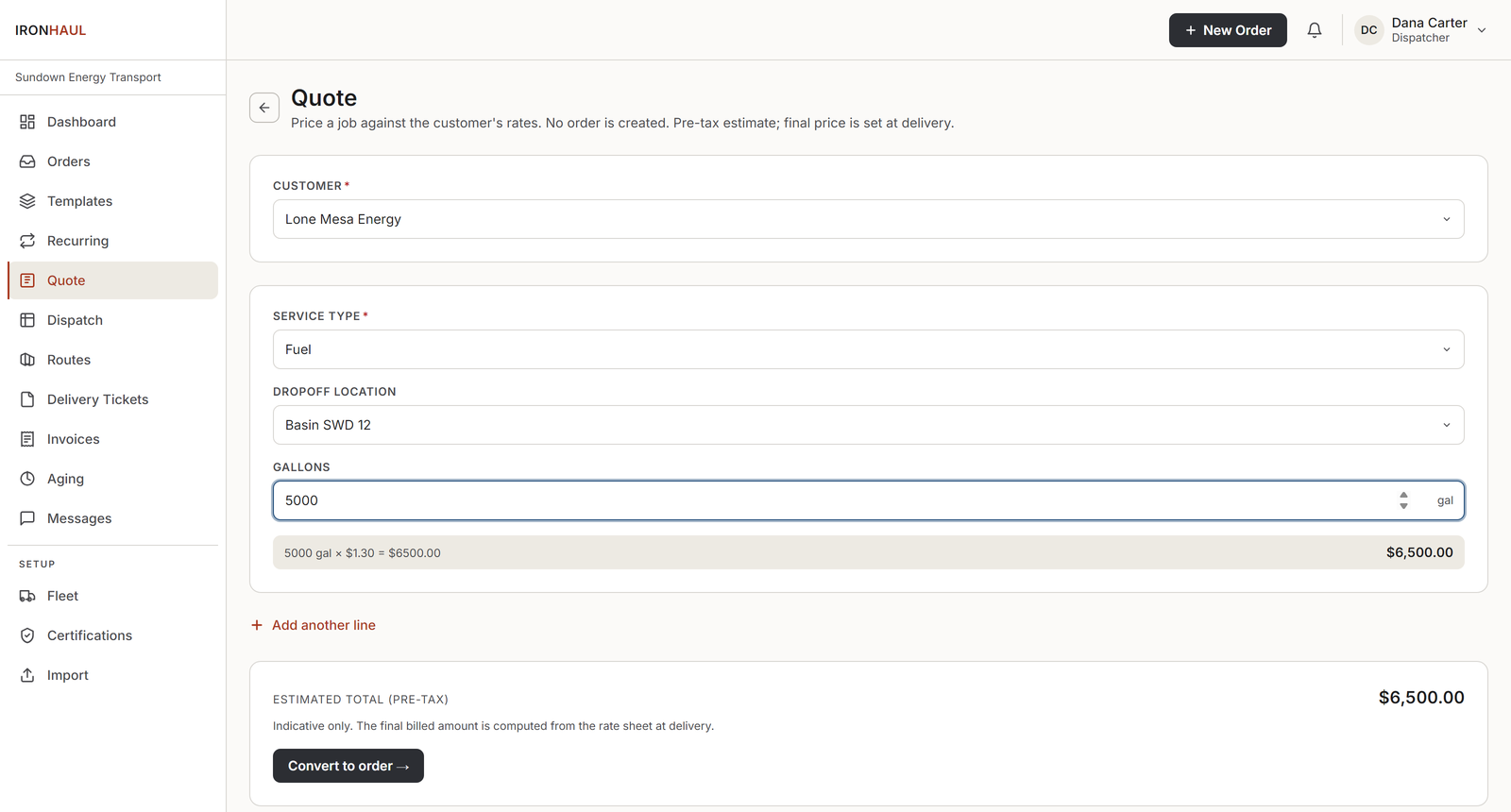
Quoting a job against the customer rate sheet: per-service fields and a live estimate.
Dispatch: seven holds
On the dispatch board, a driver and truck get assigned to the load. Before that assignment locks, IronHaul runs seven checks, and names exactly what each one catches:
- Credit: the customer is in good standing.
- Certification: the driver's CDL, H2S, and required certs are current.
- Inspection: the truck passed its DVIR.
- Maintenance: the truck isn't flagged out of service.
- Capacity: the assigned asset can carry the order. A 4,000-gallon trailer on a 7,200-gallon load is caught here.
- Product mismatch: a trailer dedicated to one product is not assigned to a different product.
- Dimension: the truck or trailer can take the load's size and weight.
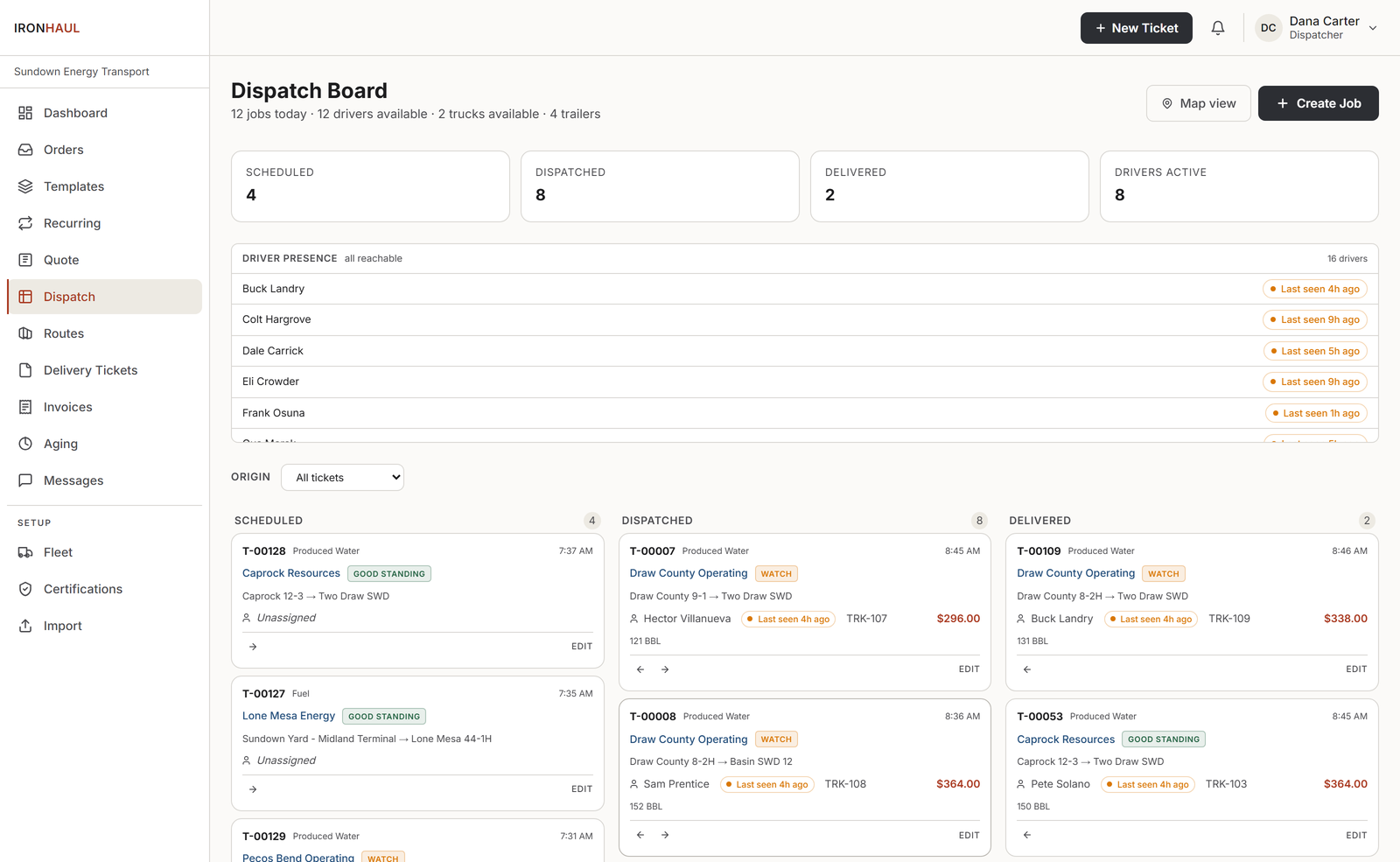
The dispatch board: every load in its lane, each assignment checked before it locks.
The driver completes it from the field
Out on the job, the driver closes the load from their phone: quantities, supervisor signature, rig stamp, and photo proof, with GPS stamps checked against the job's pickup and dropoff. It's built to keep working in a dead zone and sync when signal returns. The load moves to Delivered: a complete, defensible record with no follow-up call.
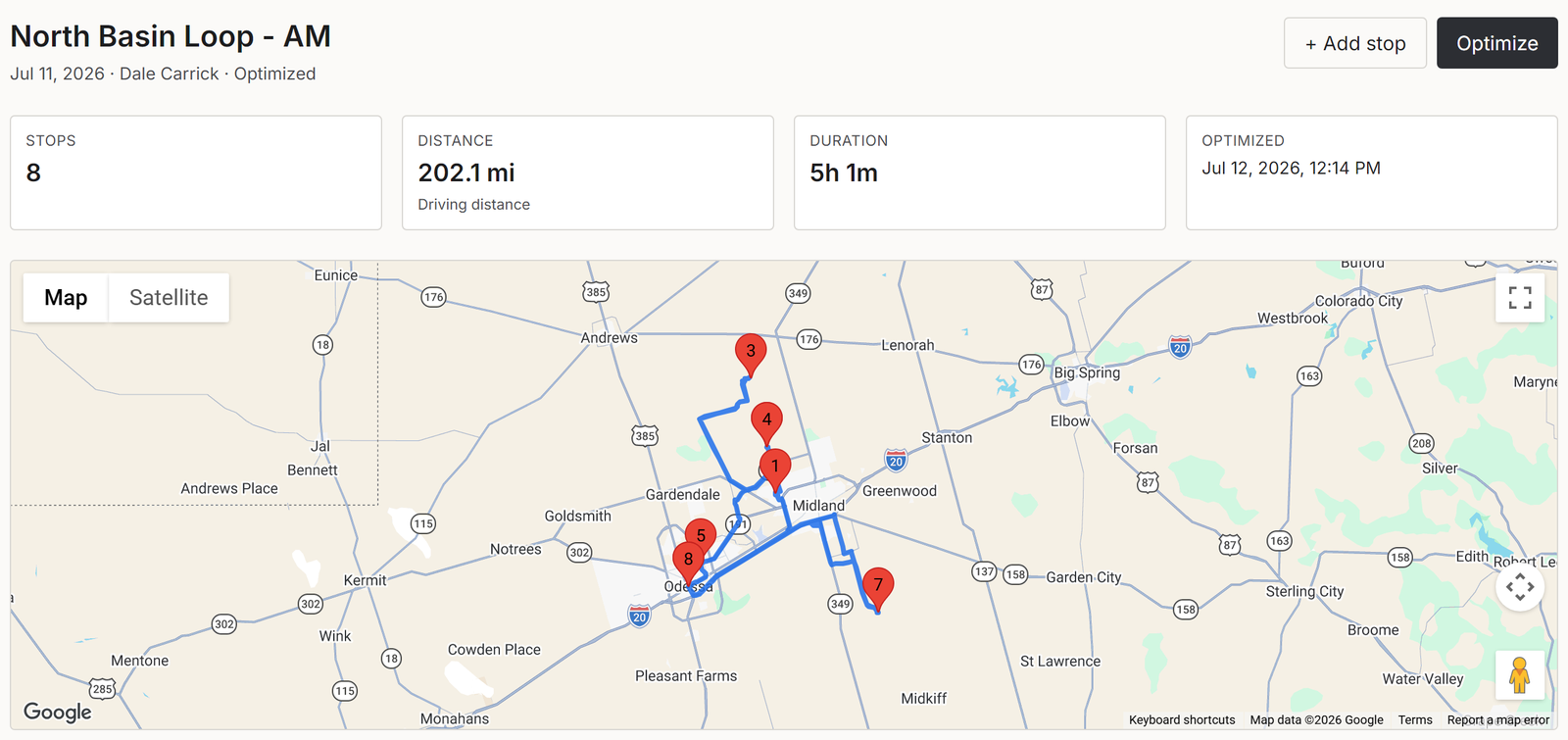
The run itself: an optimized eight-stop route across the basin, with real driving miles and hours.
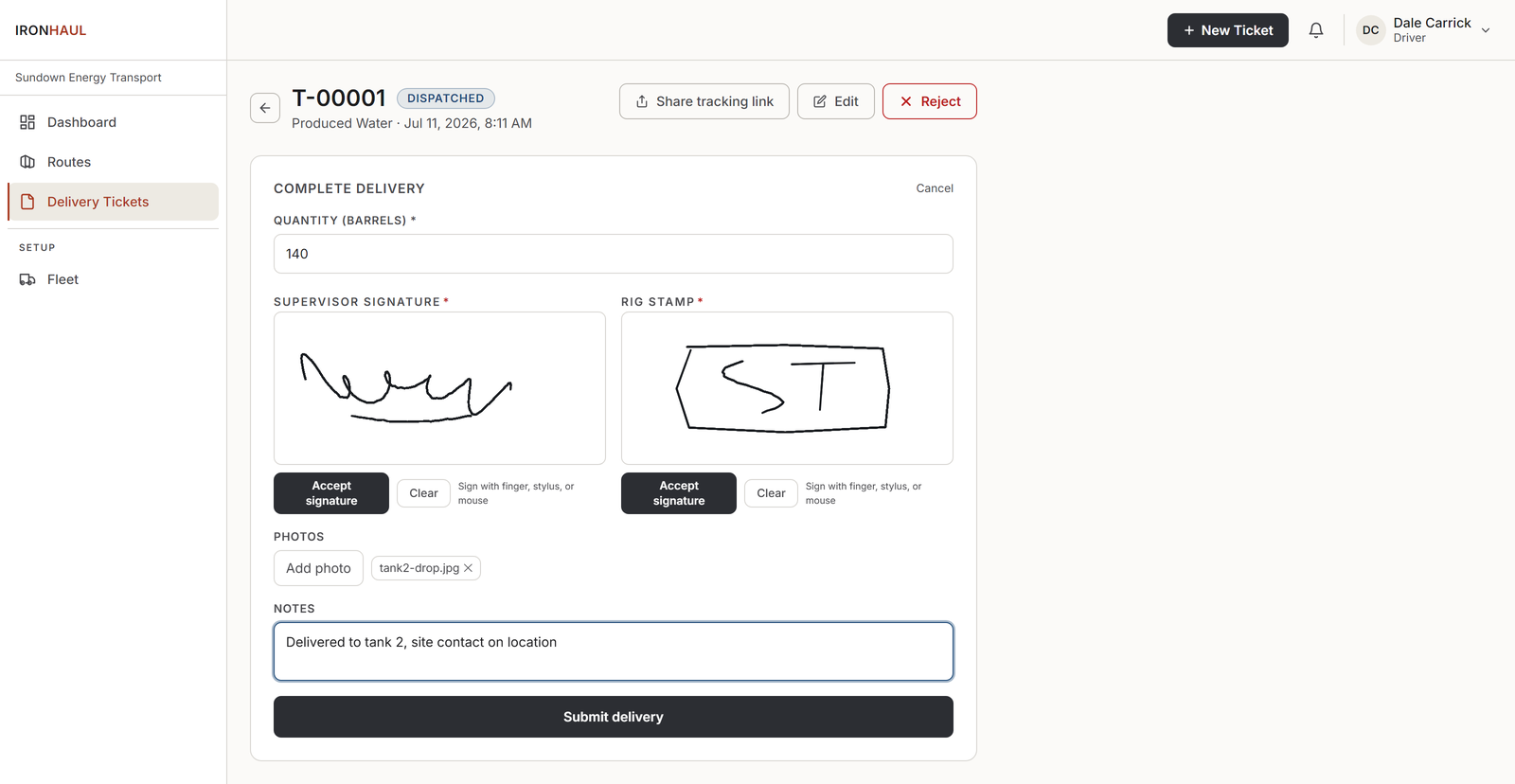
The driver closes the load from the field: quantity, supervisor signature, rig stamp, photo.
Accounting reviews it
Before anything is billable, accounting confirms the delivered load: quantities, rate, the field record. The load moves to Reviewed. This step is finance-gated, so a load can't jump straight to an invoice without a set of eyes on it.
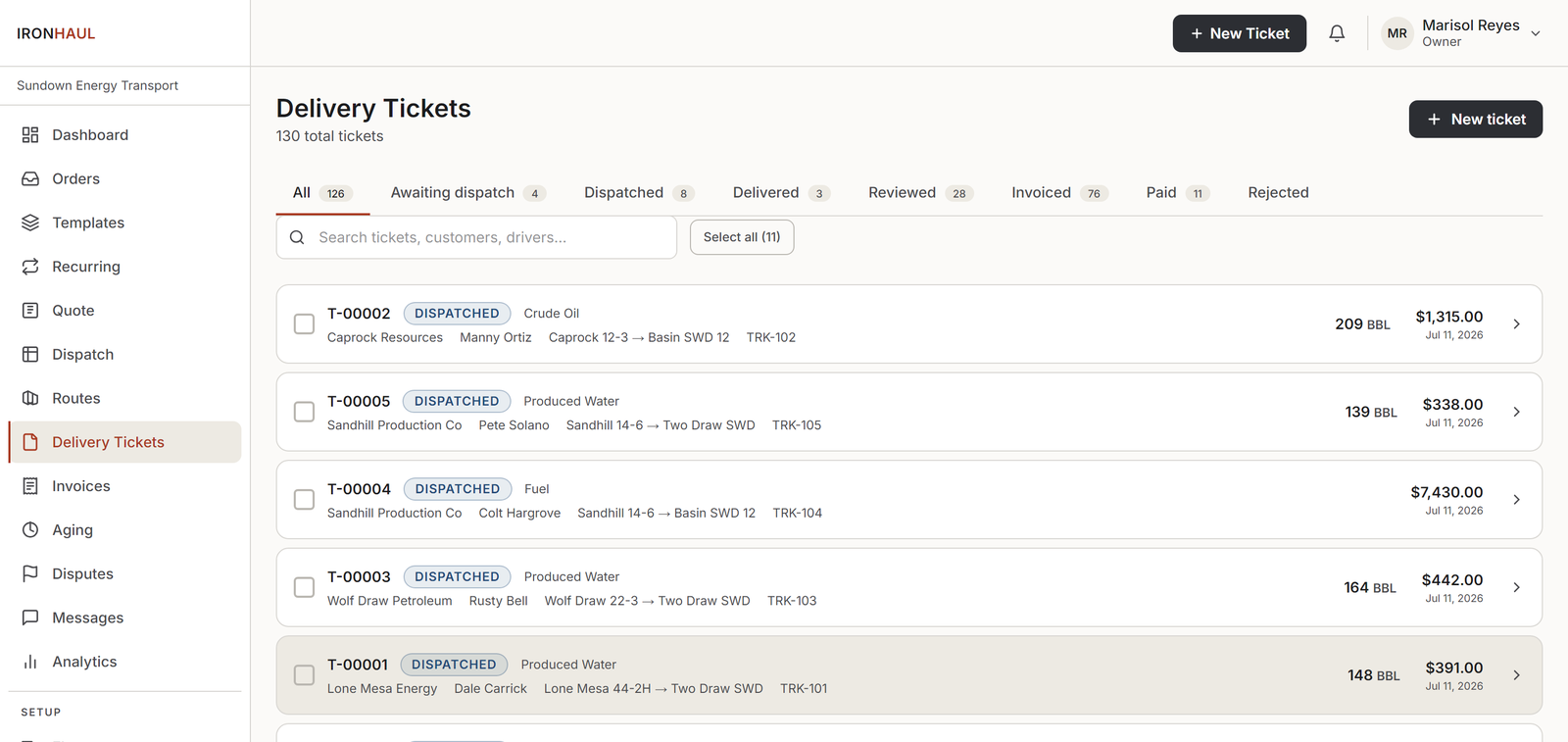
Every load in its lifecycle lane: delivered loads wait here until accounting reviews them.
Invoice out, matched on the way in
Reviewed loads are invoiced with the customer's rate sheet applied: a branded PDF, same day. If your QuickBooks Online company is connected, the invoice pushes there automatically, no re-keying. On the AP side, that invoice doesn't just land in an inbox.
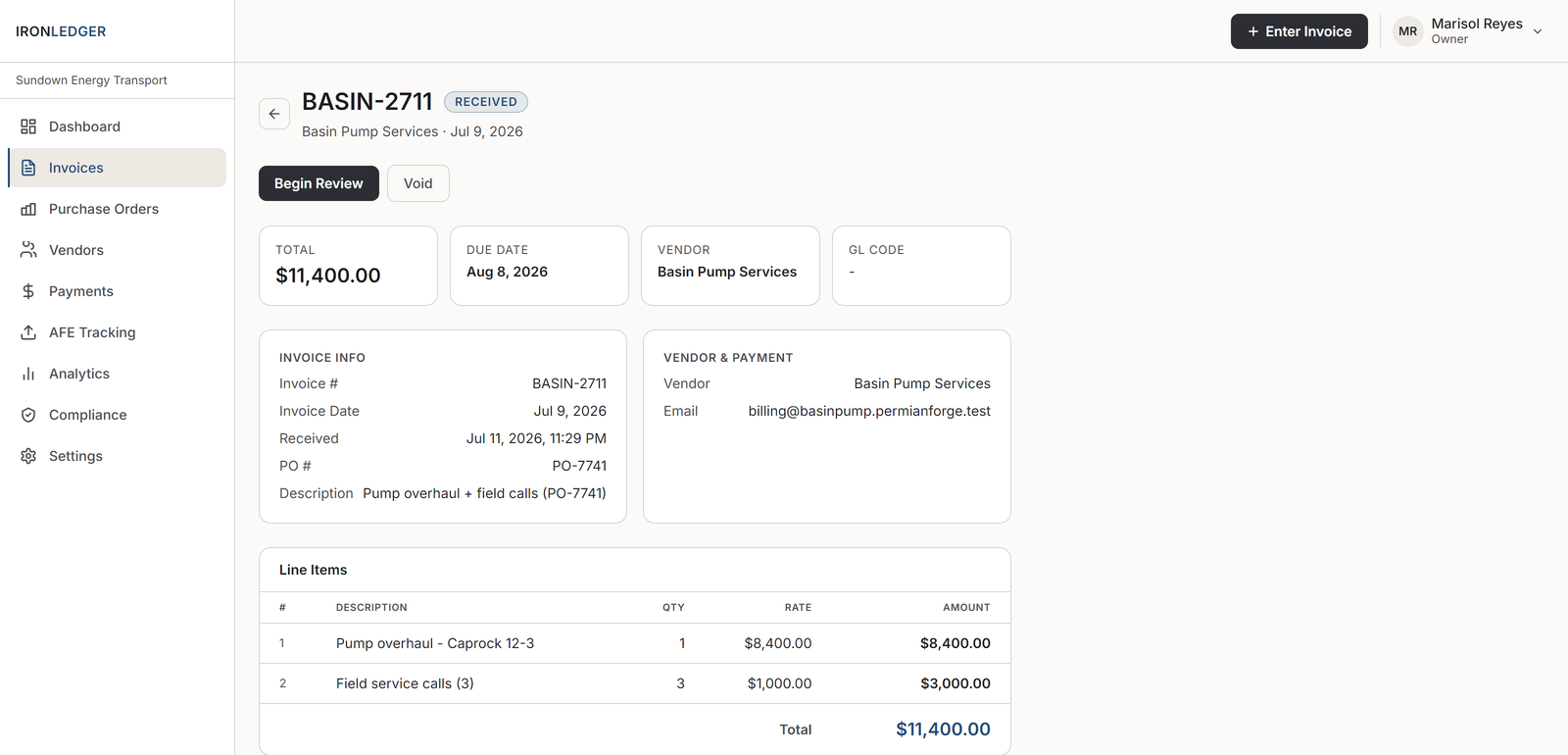
A received invoice tied to its purchase order, ready for review.
Paid, and traceable end to end
Payment is recorded against the invoice and the AFE budget updates. From the order that came in to the cash that came back, every step is on one system, and every stop along the way had a check that kept the wrong thing from happening.
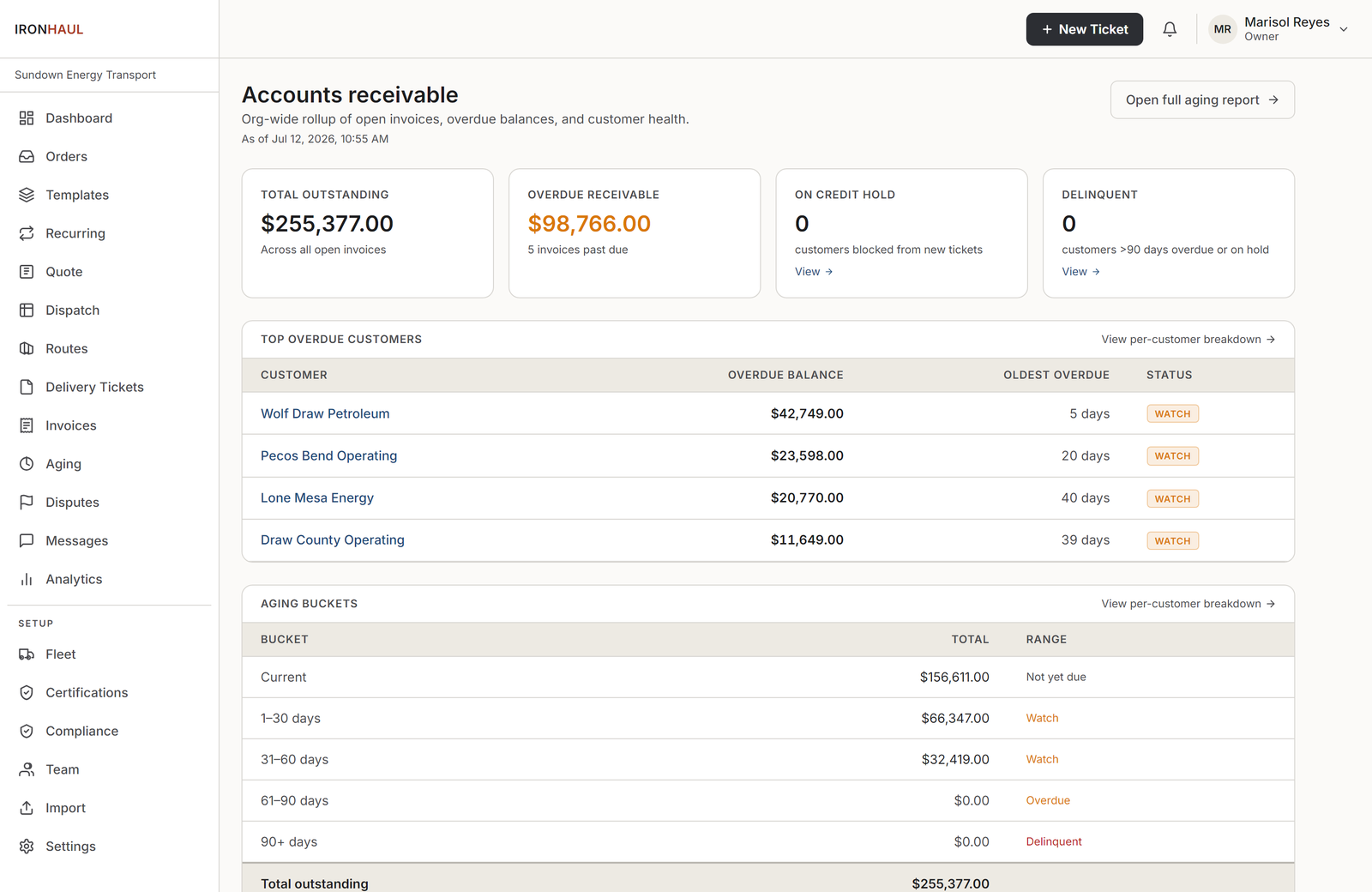
The whole receivable, traced back to the load: outstanding, overdue, and aging by customer.
See it run end to end.
Book a demo and we'll walk one real job from order to paid: holds, capacity check, three-way match and all.
Book a demo